Windows 10 and 11 · 7-day free trial
ScreenLatch Your displays. Ready to switch.
Save a screen setup for work, gaming or home. Switch back from the app, the system tray or a keyboard shortcut you record.

Features
Keep your setups
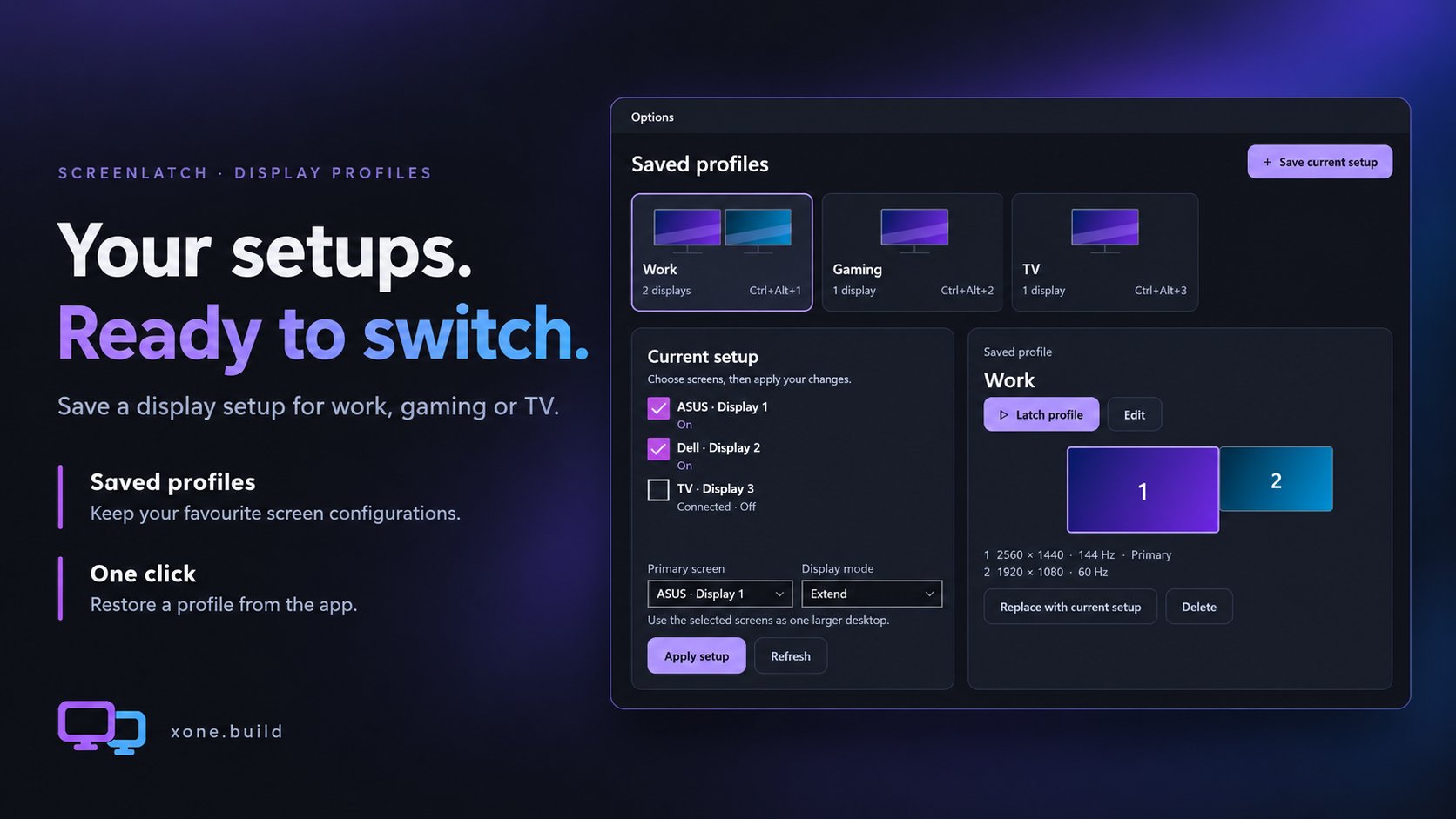
Save the display arrangements you use every day. Give each profile a name and switch back whenever you need it.
Switch in a keystroke
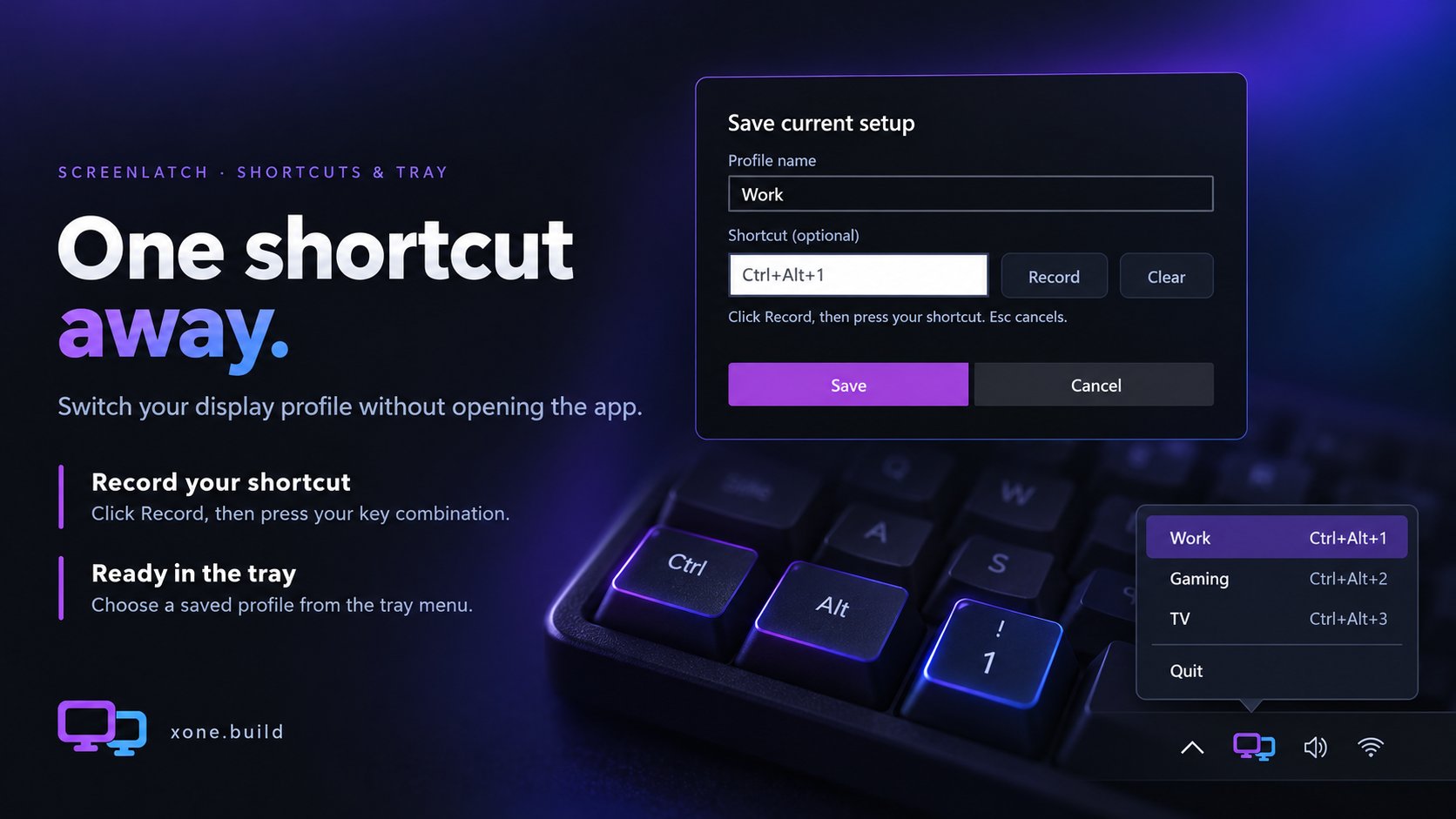
Record a shortcut for each profile, then switch without opening the main window. Your saved profiles are also available from the tray menu.
Choose which screens are on
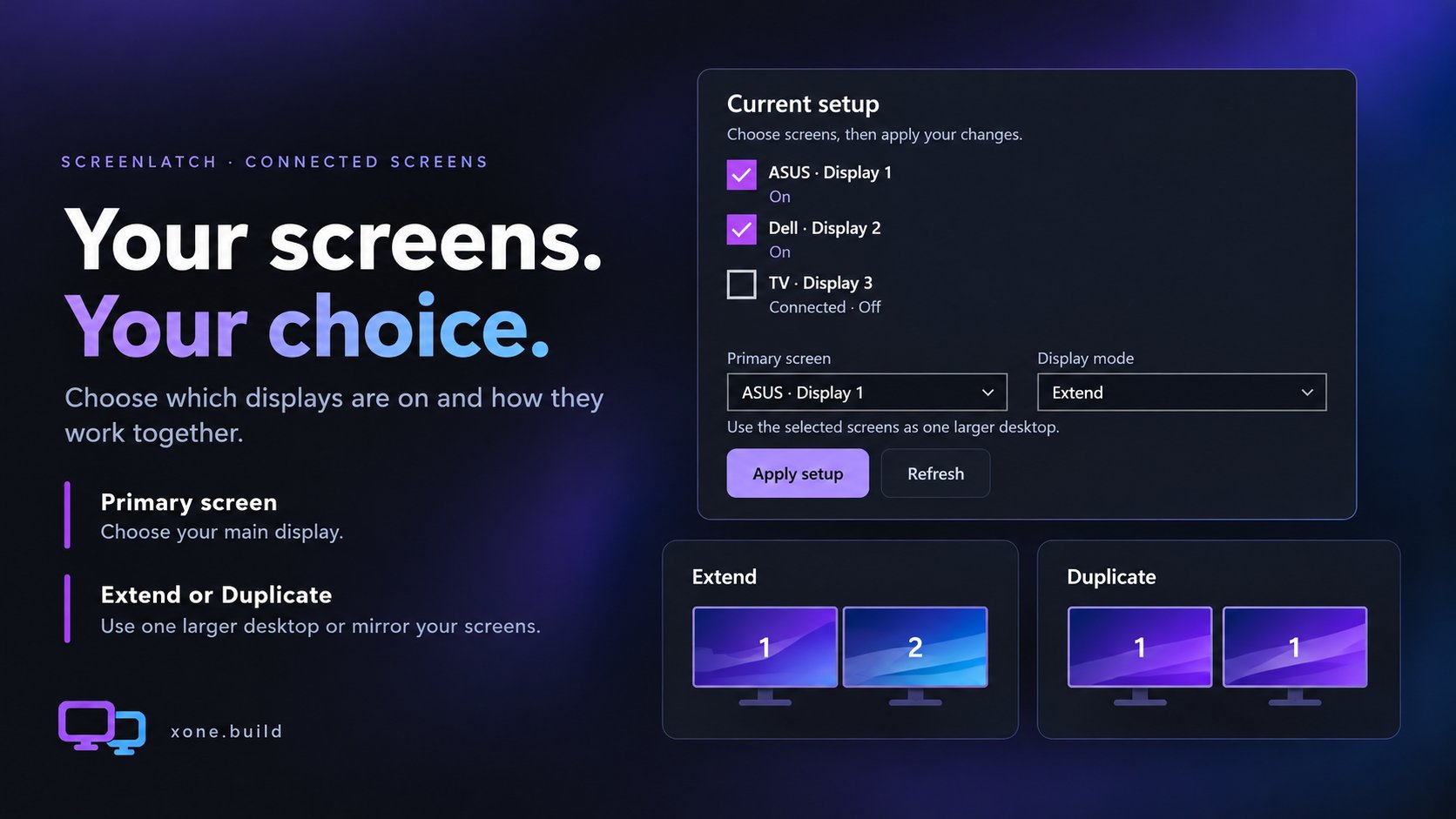
See connected displays in ScreenLatch, choose which ones to use, and set a primary display. With multiple screens selected, choose Extend or Duplicate.
Out of the way
ScreenLatch can stay in the system tray, ready when you need it. Choose how it behaves when you close the window and whether it starts with Windows in Options.
Gallery
Details
Your profiles and preferences stay on this PC. ScreenLatch has no ads or analytics.
Get in touch
Bug, ideaor just a hello.
Goes straight to my inbox.
Support
Saved you time?This code runs on coffee.A coffee is welcome.
Never required.